
MS 50 Election Day
Remote Instruction Plan
Instructions
Step One
Go to the “MS 50 Virtual School” Google Classroom and mark yourself as present by clicking “Mark as Done” in the assignment labeled “Attendance.” If you have trouble accessing Google Classroom, please tell your 1st Period Teacher. Attendance will also be taken by second period teachers at the beginning of their Zoom meeting.
Step Two
Follow your normal class schedule, simply click on the name of the teacher you have that period and you will join their Zoom classroom. If you get stuck or have questions, join the Virtual Cafeteria at any point during the day and a staff member will help you get to the right place.
If you forget your schedule, it is posted by homeroom at the bottom of this page. Classes will start at 8:30am, there is no AM Homeroom.
Virtual Classrooms
6th Grade
8th Grade
7th Grade
All Grade
Frequently Asked Questions
-
Dial (646) 558-8656 then enter the information for the meeting below when prompted.
Whole School Meeting/Help Center – ID: 82064785100 Password: 643109
6th Grade – ID: 96336194976 Password: 606296
7th Grade – ID: 92500262473 Password: 663434
8th Grade – ID: 96489335111 Password: 283712Bartok – ID: 92200543061 Password: 396123
Chandra – ID: 97619775040 Password: 892835
Chino – ID: 93186895741 Password: 347241
Flanigan – ID: 96245955038 Password: 769297
Jones – ID: 95541011713 Password: 846593
Jimenez – ID: 98070278479 Password: 954087
Liu – ID: 94946198851 Password: 642899
Matias – ID: 93330753727 Password: 073894
Reilly – ID: 94356477665 Password: 123456
Spry – ID: 99811596924 Password: 444806
Turan – ID: 91390772635 Password: 418513
Yarinsky – ID: 99245594663 Password: 684245Altiery – ID: 97487669625 Password: 296483
Atkins – ID: 95732735479 Password: 519218
B-Lindor – ID: 96782123210 Password: 870096
De Leon – ID: 96227227675 Password: 498847
Escobar – ID: 94270434674 Password: 131083
Ganan – ID: 93692557810 Password: 860191
Lee – ID: 97346930478 Password: 225048
Ryan – ID: 96395190649 Password: 252300
Velazquez – ID: 99013519131 Password: 632742
Zhañay – ID: 94865124548 Password: 043319Cortez – ID: 95230701475 Password: 972620
Herzog – ID: 97839613506 Password: 873933
Santos – ID: 92603251283 Password: 601992
Shah – ID: 94118308756 Password: 964317
Silva – ID: 91759641068 Password: 231595
Smith – ID: 92732310926 Password: 485845
Stripp – ID: 98889834181 Password: 944275
Sweets – ID: 94551423271 Password: 633803
Vasquez – ID: 99304957170 Password: 411579
Whitaker – ID: 99948763829 Password: 369301Cañete – ID: 94434499307 Password: 344304
Casamassa – ID: 92122621717 Password: 801209
Haxhiu – ID: 95818231324 Password: 478212
Hidalgo – ID: 98865736362 Password: 080645
Kalish – ID: 92788214343 Password: 619040
León – ID: 91694881782 Password: 890360
Mason – ID: 98230313524 Password: 276157
Molfetta – ID: 95349645851 Password: 583141
Morocho – ID: 91419100768 Password: 039043
Ortiz – ID: 92435019037 Password: 741907
Roper – ID: 91918574701 Password: 544537
Scott – ID: 97941984492 Password: 380750 -
Teachers may have more than one family in line at a time. When you join a teacher’s Zoom meeting, you will be placed in a waiting room in the order you joined the meeting. When the teacher is finished talking to the family in front of you, you will be admitted to the main meeting.
-
The main meeting room will have staff in it all night ready to assist you!
Class Schedules
Class schedules are available below.
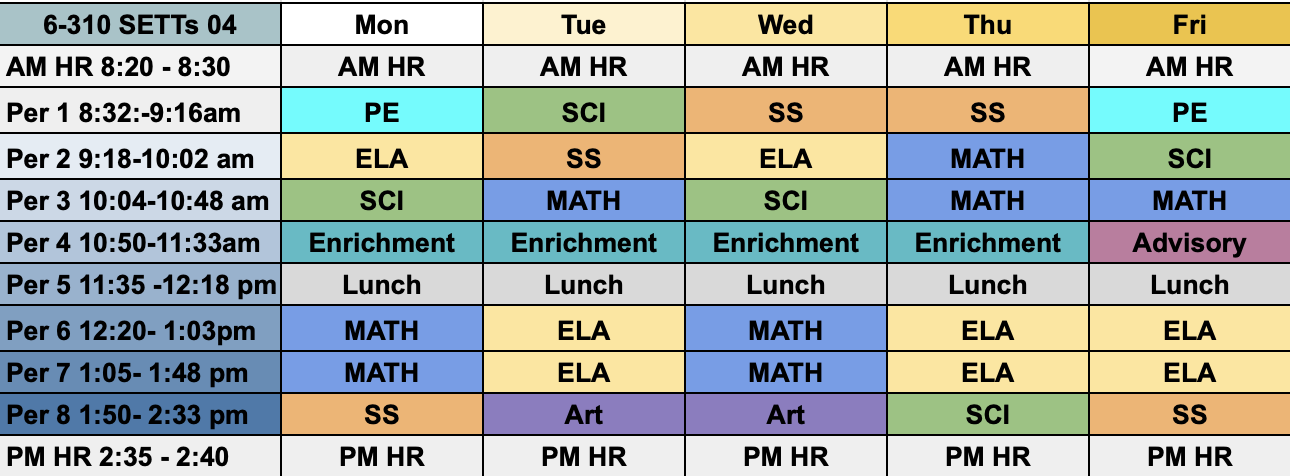
Class 310 - 6th Grade
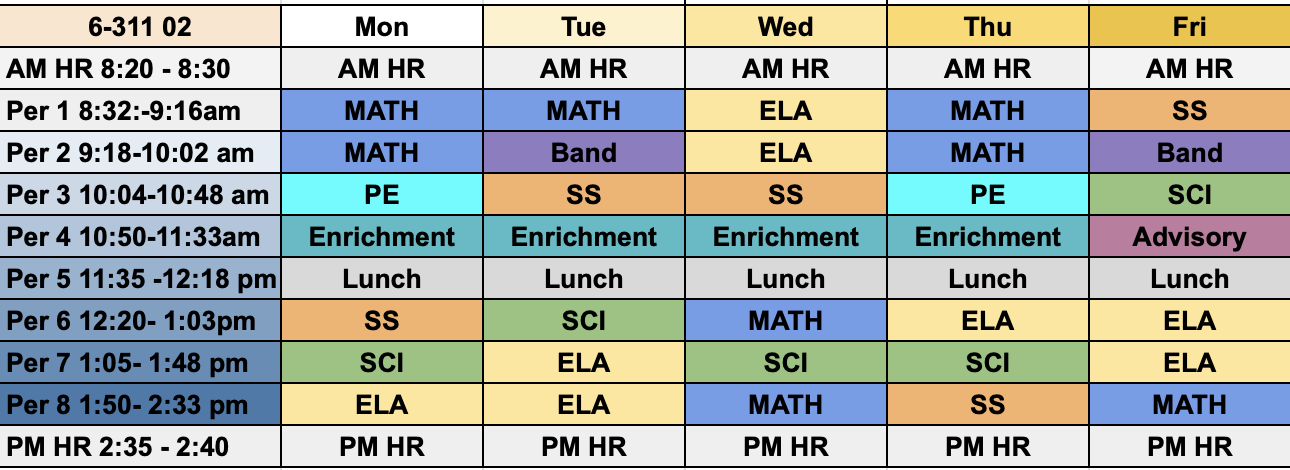
Class 311 - 6th Grade
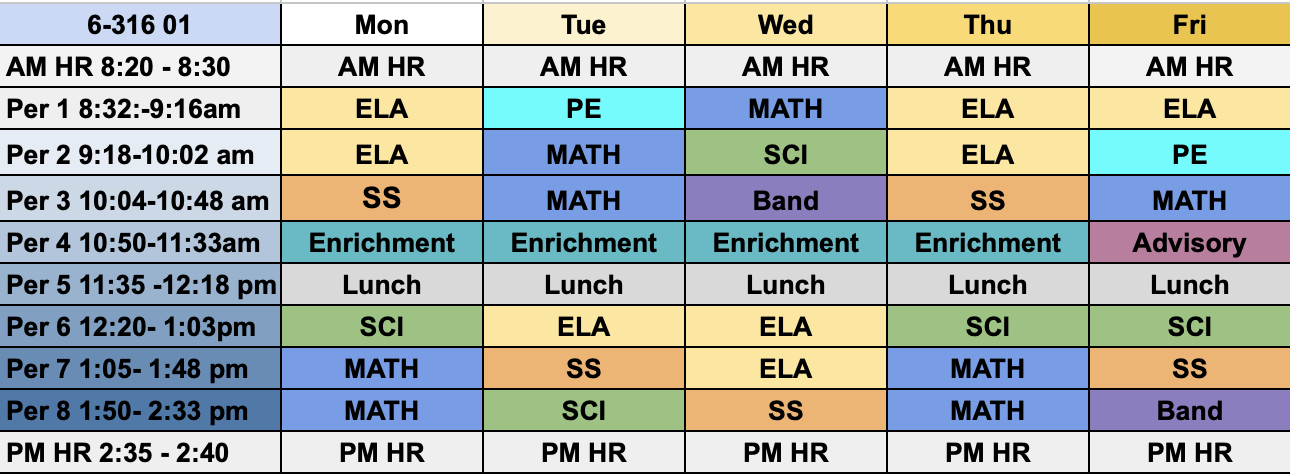
Class 316 - 6th Grade
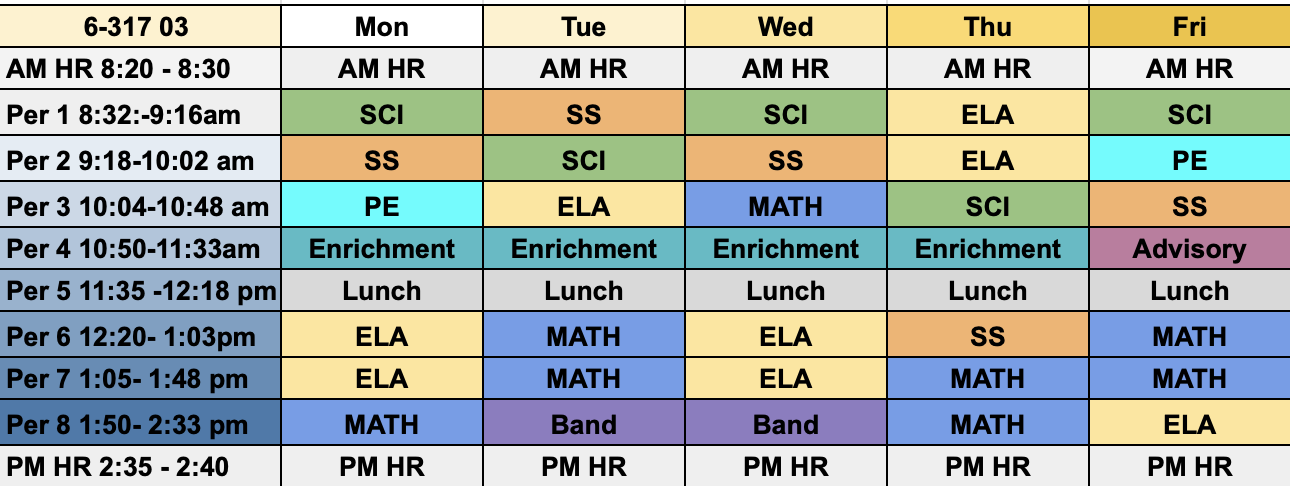
Class 317 - 6th Grade
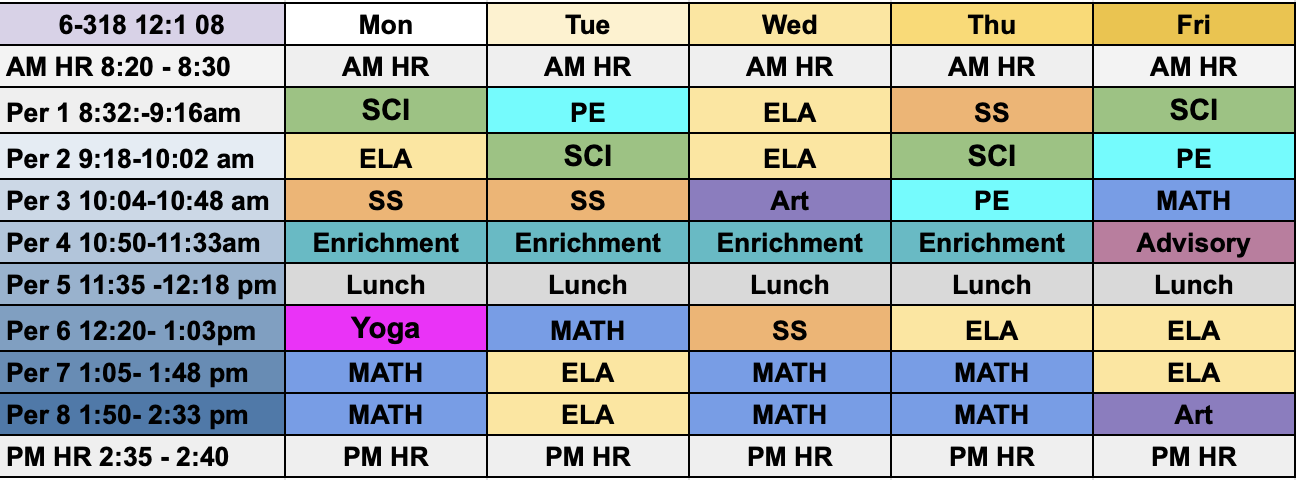
Class 318 - 6th Grade
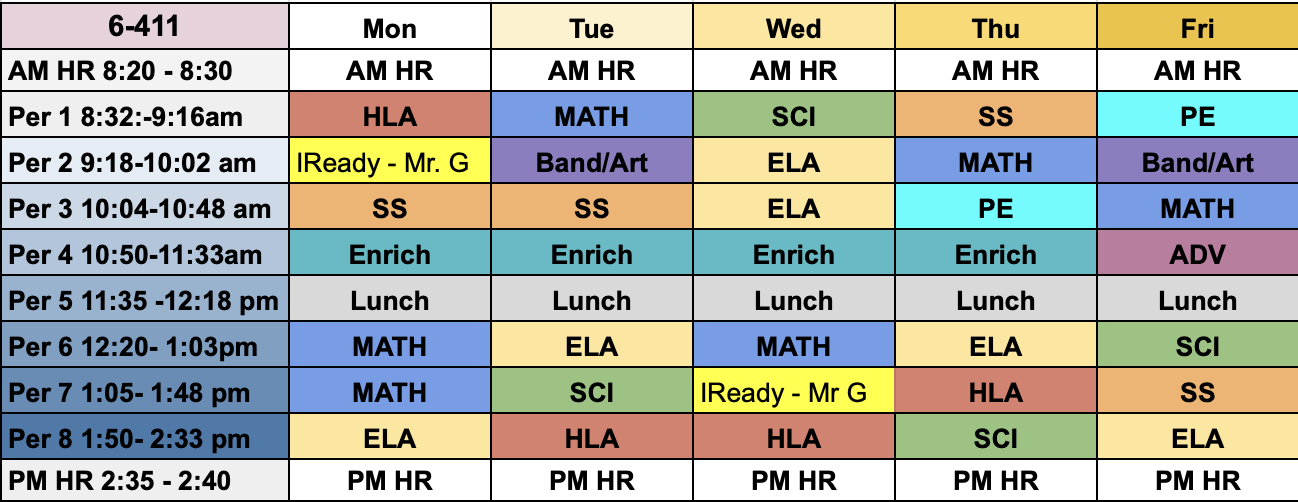
Class 411 - 6th Grade
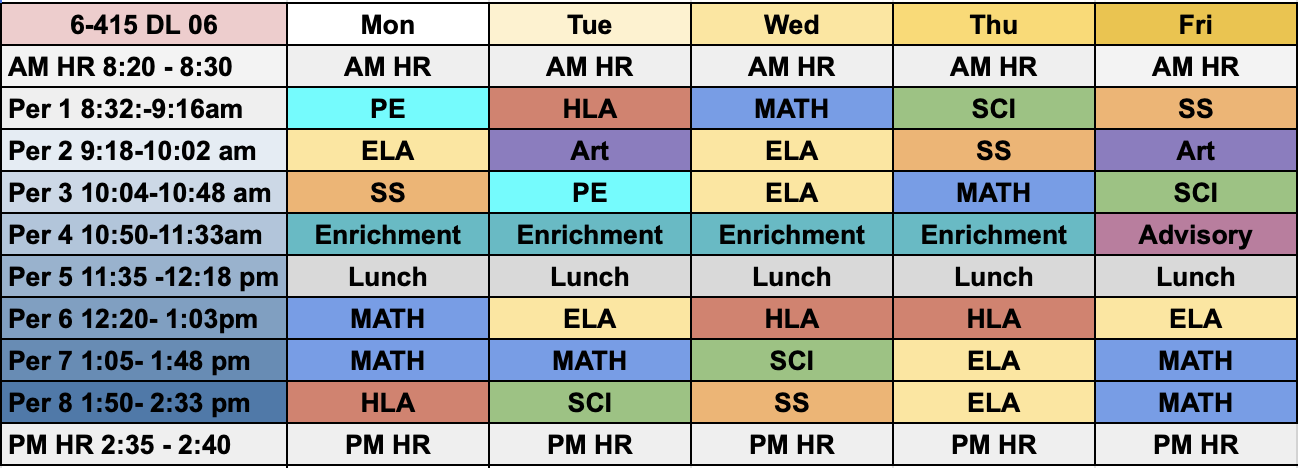
Class 415 - 6th Grade
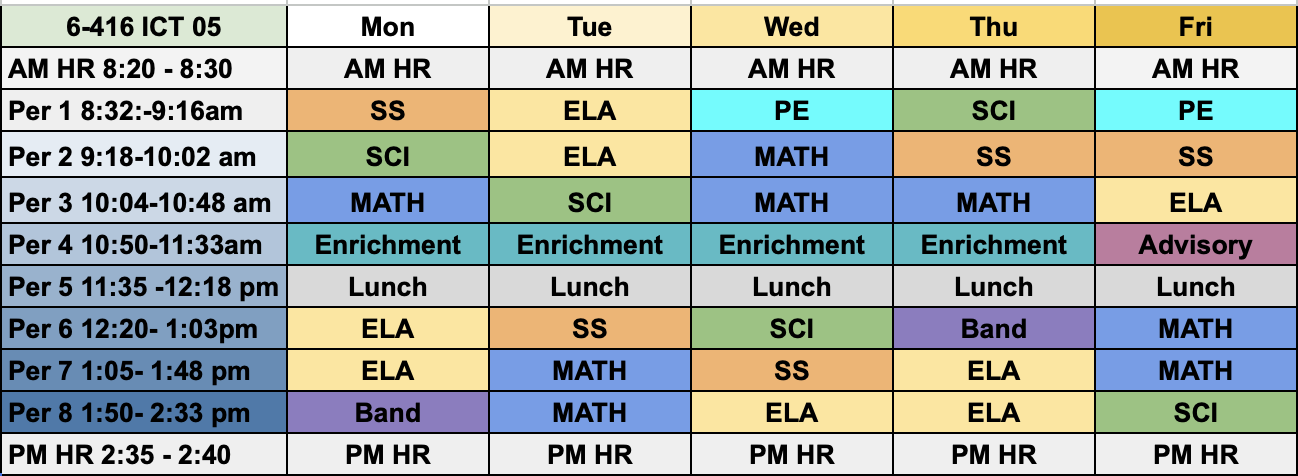
Class 416 - 6th Grade
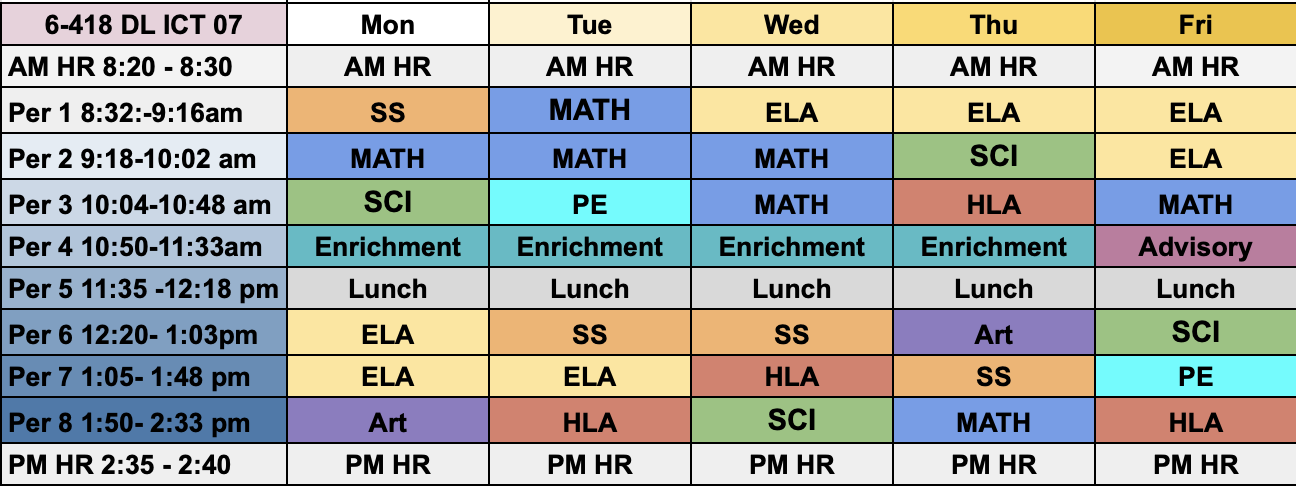
Class 418 - 6th Grade
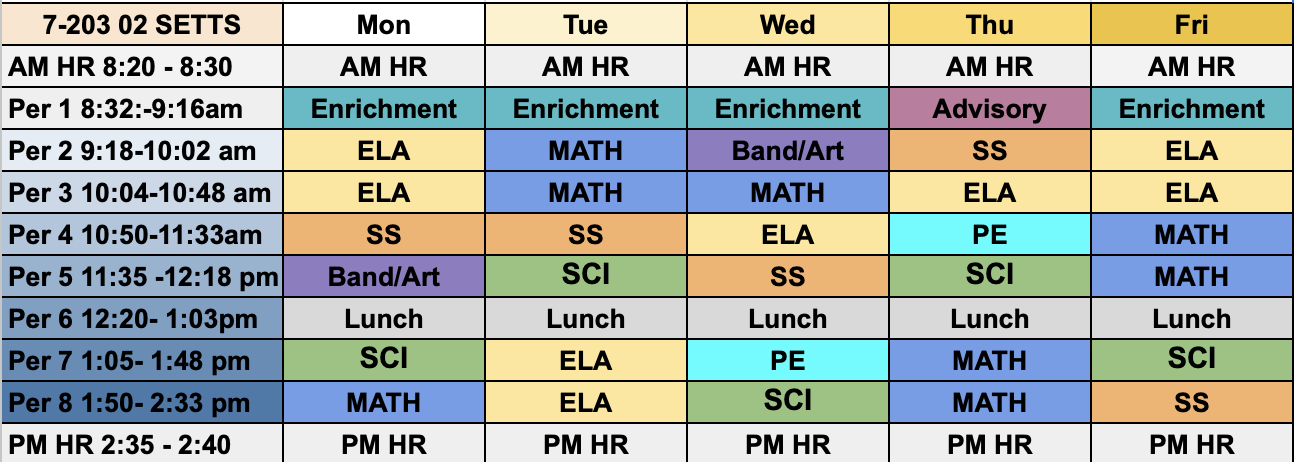
Class 203 - 7th Grade
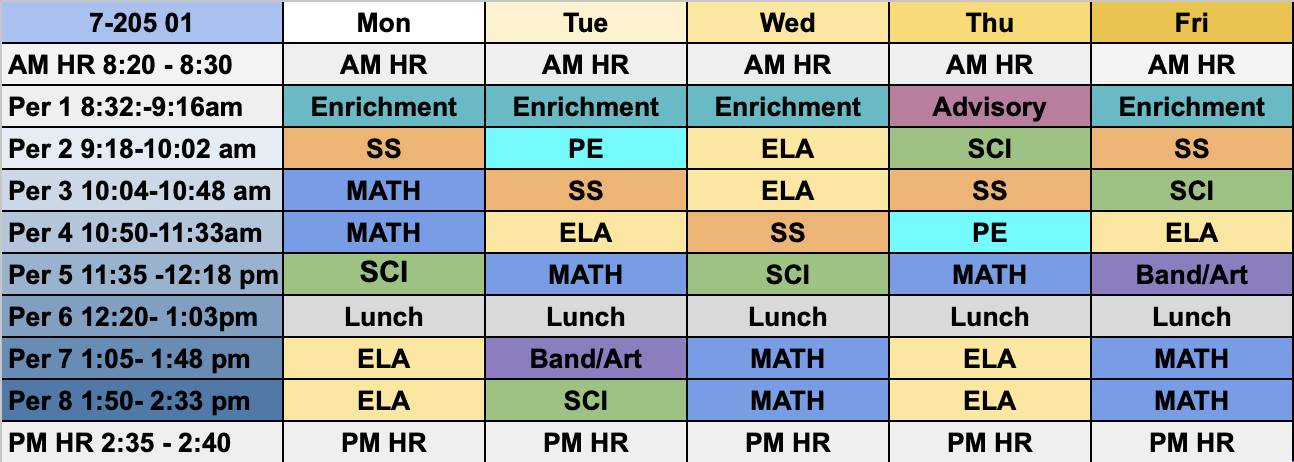
Class 205 - 7th Grade
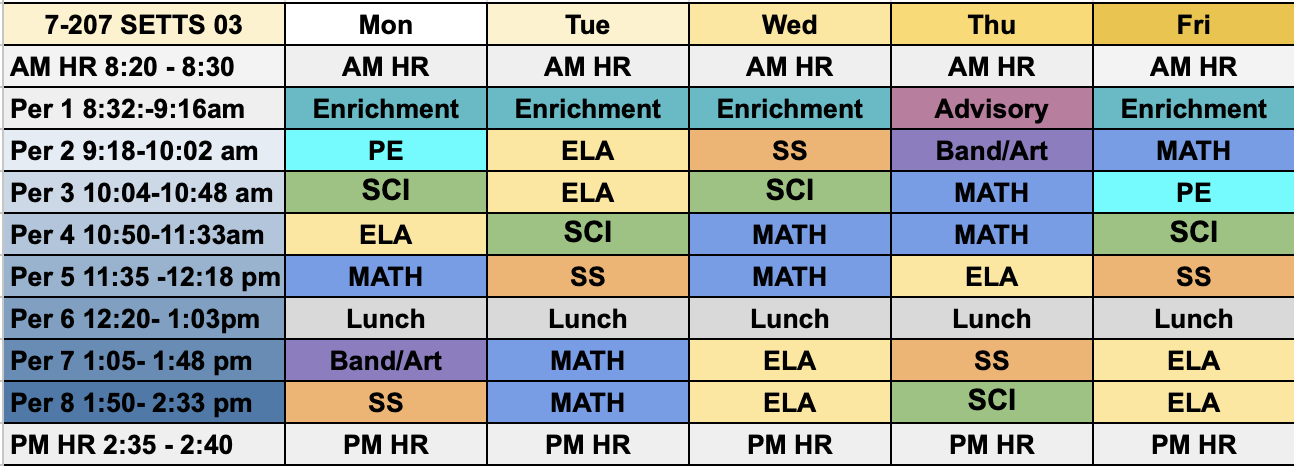
Class 207 - 7th Grade
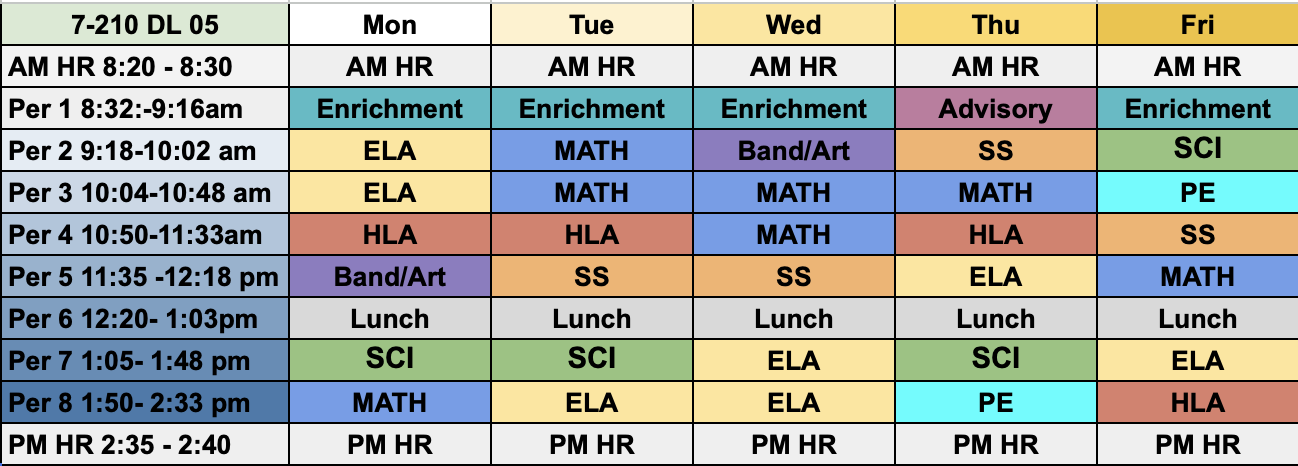
Class 210 - 7th Grade
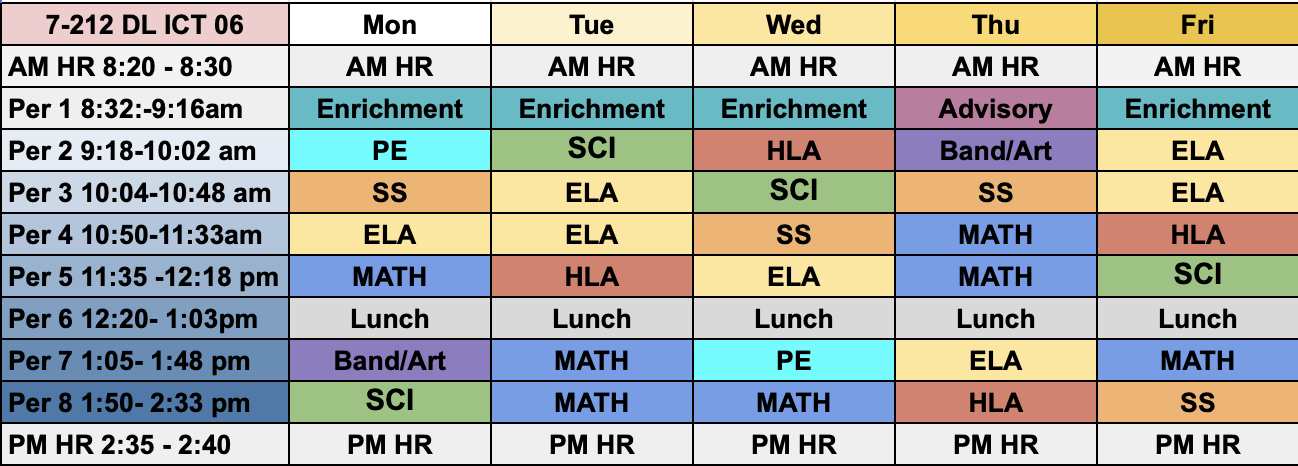
Class 212 - 7th Grade
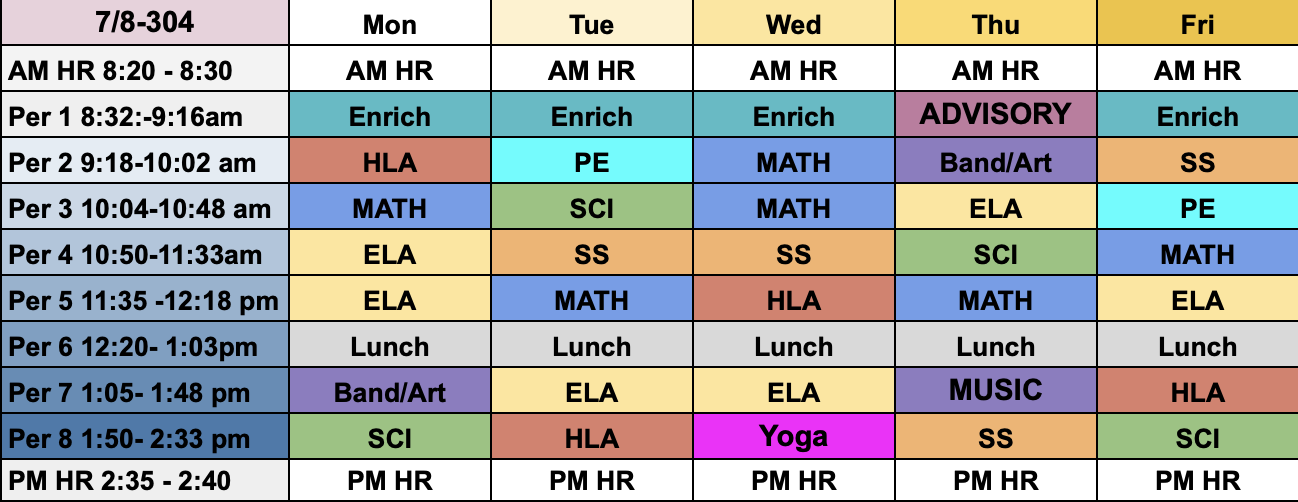
Class 304 - 7th/8th Grade
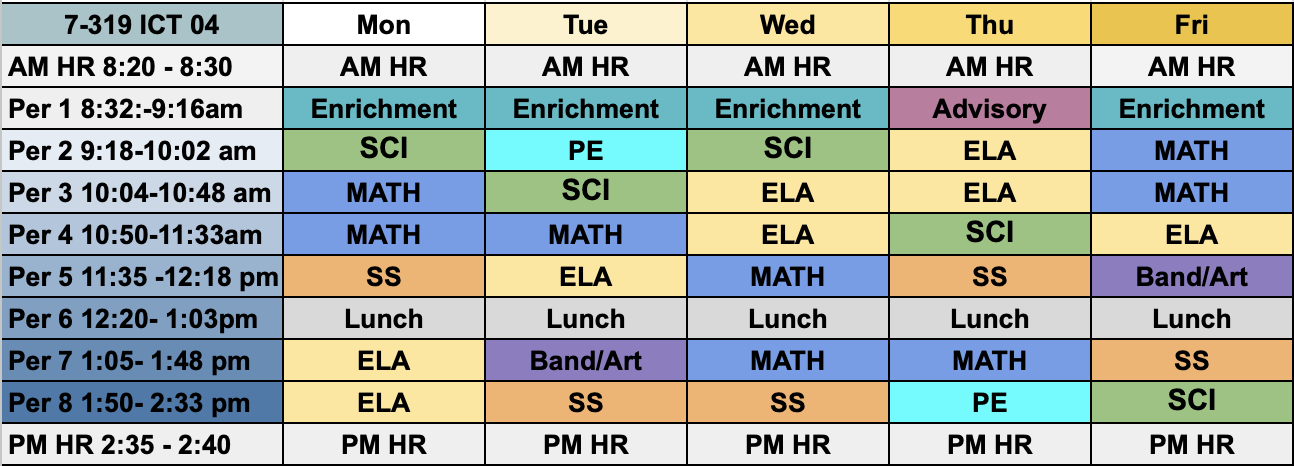
Class 319 - 7th Grade
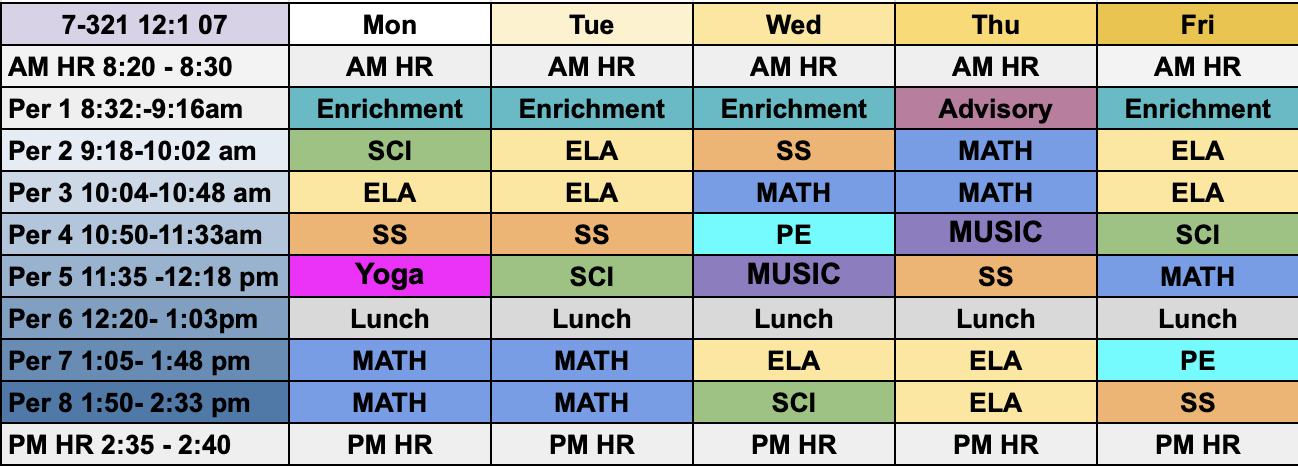
Class 321 - 7th Grade
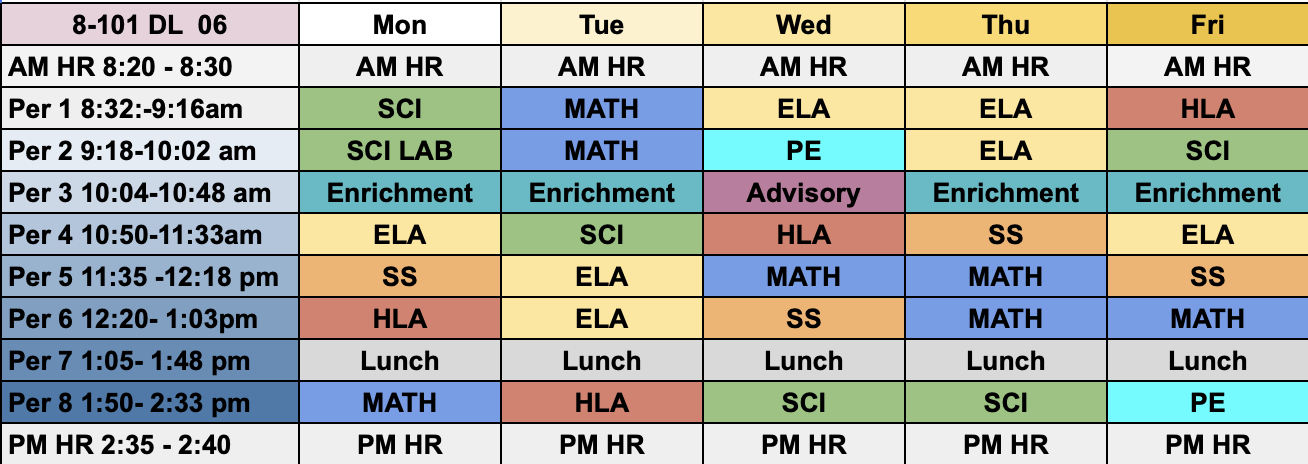
Class 101 - 8th Grade
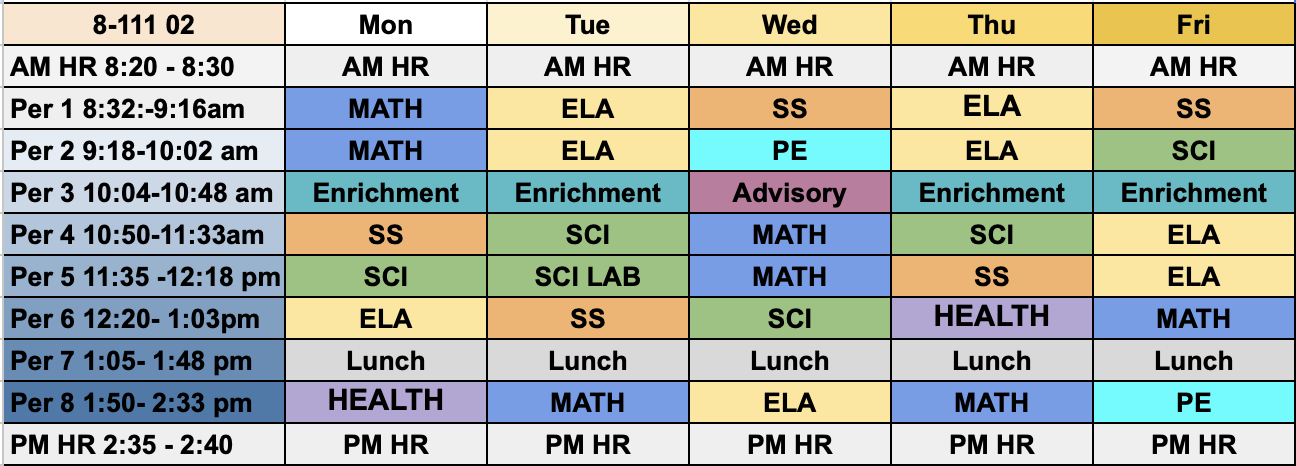
Class 111 - 8th Grade
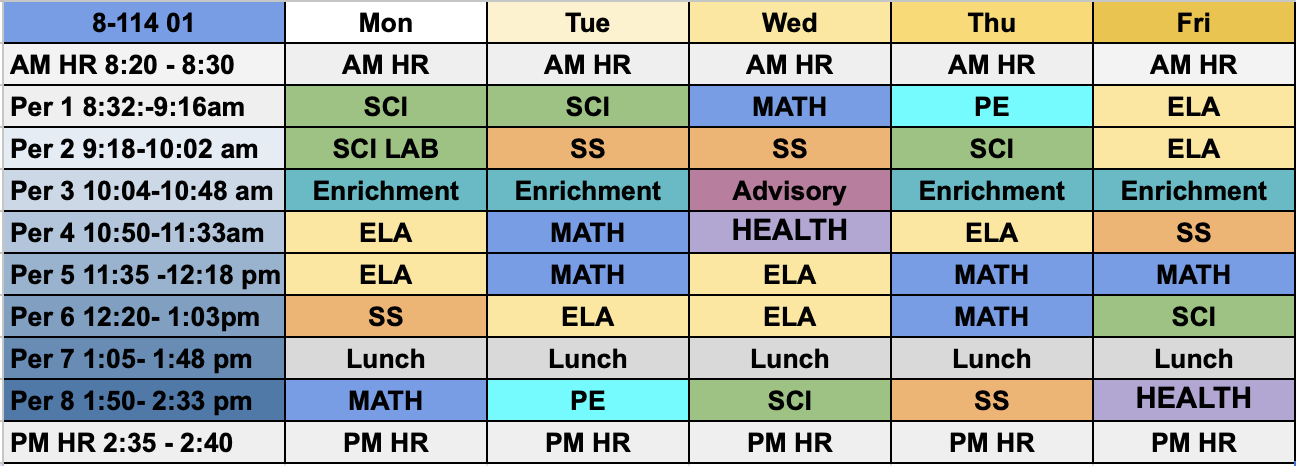
Class 114 - 8th Grade
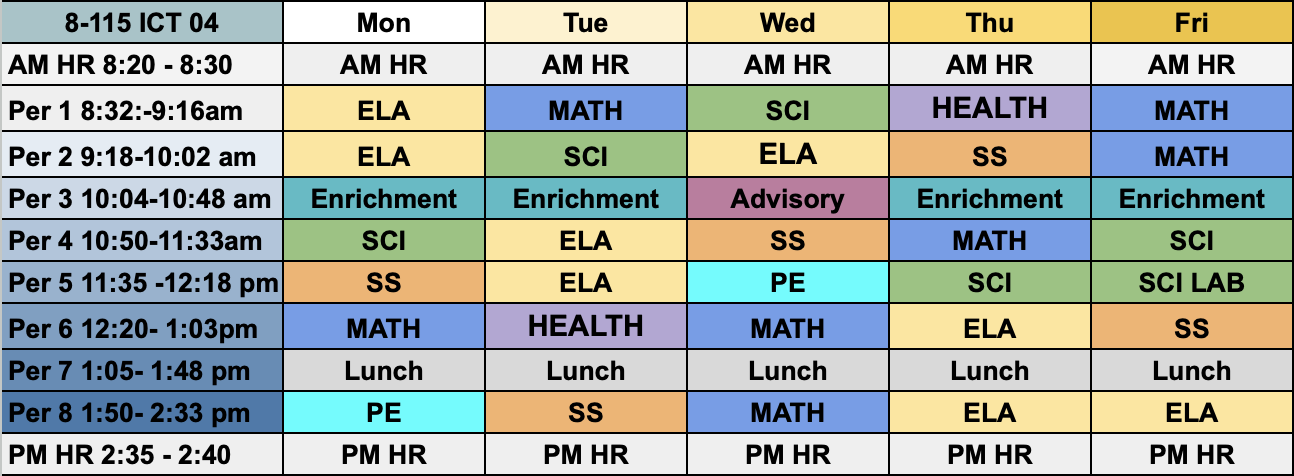
Class 115 - 8th Grade
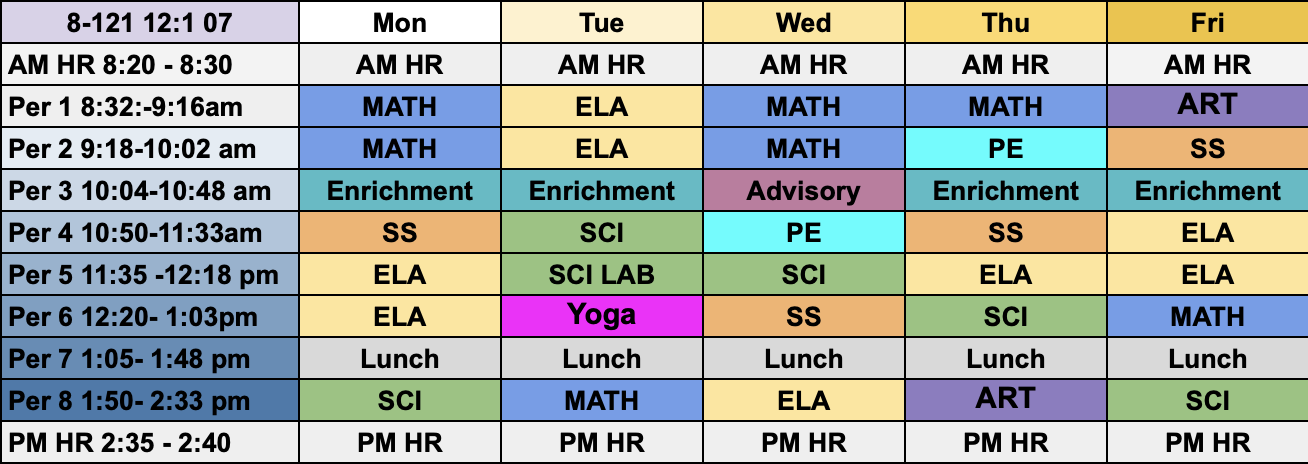
Class 121 - 8th Grade
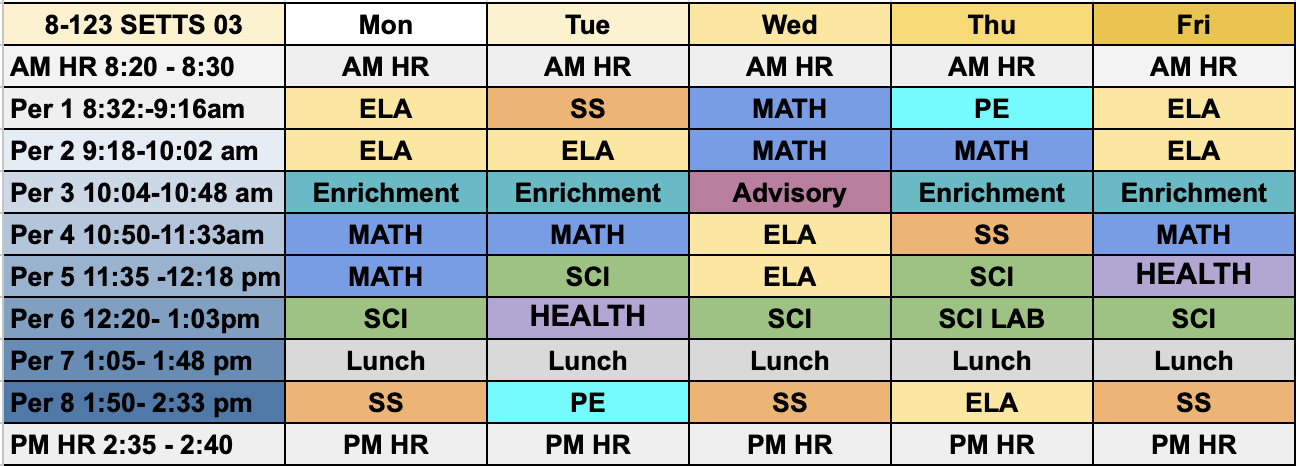
Class 123 - 8th Grade
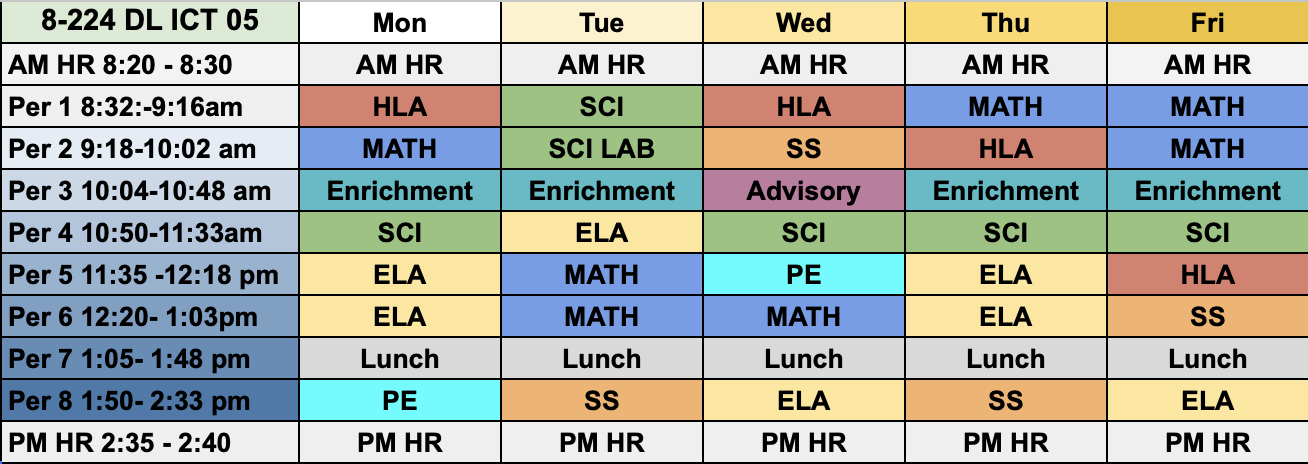
Class 224 - 8th Grade